
If you use the Subscribers.com WordPress plugin and your visitors see a separate browser window titled “Subscribe to Notifications” every time they click around your site, an older version of our plugin is the cause. Updating it takes a minute.
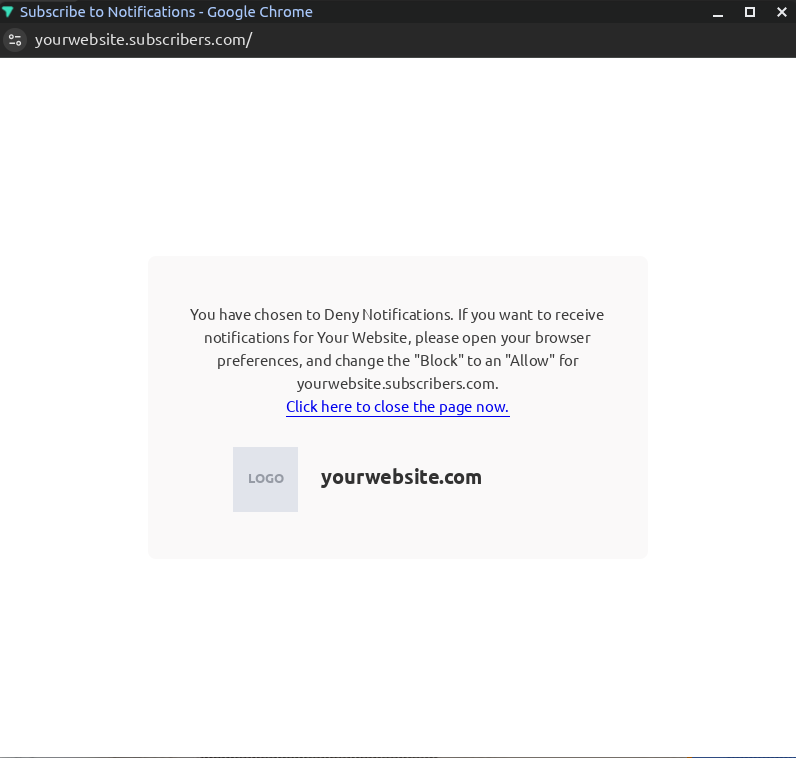
Is this window from Subscribers? Ours is a separate browser window with a subscribers.com address at the top. A box that appears on top of your page, such as a sign-up form or coupon offer, comes from a different plugin.
Why it happens
Some older versions of the plugin used a file address that certain web hosts block. When the browser can’t load that file, it can’t show its normal “Allow notifications” message, so a separate window opens instead. Version 1.7.10 fixes this.
Step 1: Update the plugin
In your WordPress admin, go to Plugins and find Subscribers.com. The version number is shown under its description.

Version 1.7.10 or higher: you’re up to date.
An older version: click update now. If you use a caching plugin (such as WP Rocket), clear its cache afterwards.
Step 2: Check your Site ID
In WordPress, go to Settings → Subscribers and check that the Site ID matches the one in your Subscribers dashboard under Settings. If you have more than one site with us, make sure it’s the one for this website, otherwise new subscribers will be added to the wrong site.
Step 3: Test it
Open your website in a private / incognito window.
Wait a few seconds, then click around a few pages.
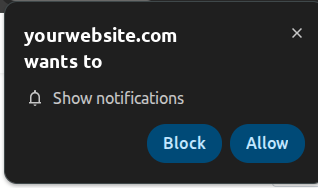
You should see your browser’s own “Show notifications” message near the address bar, and no separate window.
Still seeing the window?
Open this address in your browser, using your own website address:
https://yourwebsite.com/?firebase-messaging-sw=1
Good: you see a few short lines of code

Needs fixing: you see “404 Not Found” or your homepage
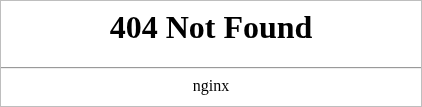
If it needs fixing, a security plugin or firewall (for example Wordfence or Cloudflare) may be blocking that address. Ask your hosting provider to allow it, or contact us and we’ll sort it out with you.
Email support@subscribers.com with your website address and what you saw at that address.